
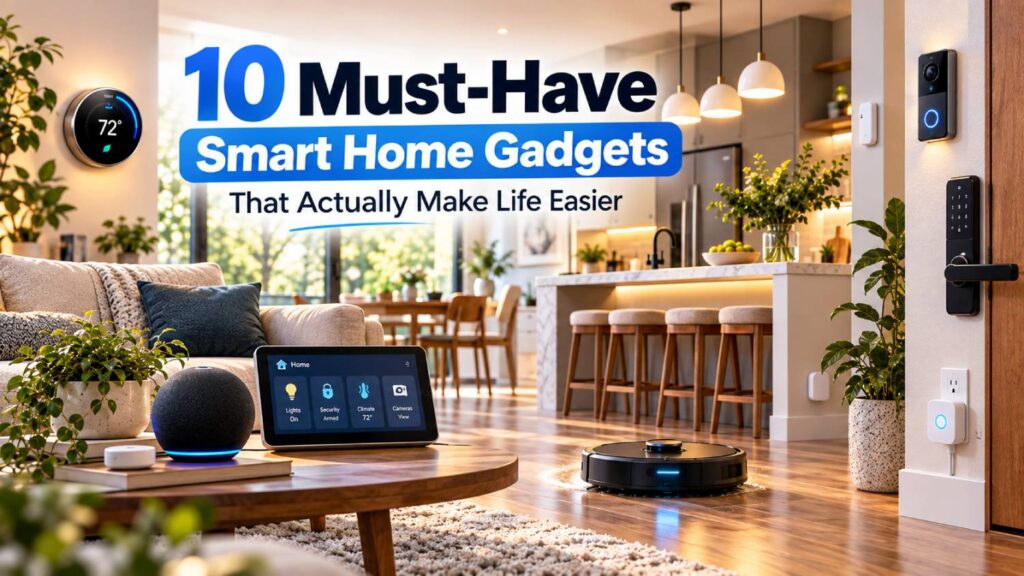
The best smart home gadgets are not necessarily the ones with the most impressive specifications. They are the devices that quietly remove repetitive jobs, make common tasks easier, improve comfort or give you useful information when you are away from home.
For this guide, we focused on everyday usefulness, automation, ease of operation, smart-home compatibility, setup requirements, reliability, privacy, subscription costs and overall practical value. The right choice still depends on your home, the devices you already own and whether you prefer Alexa, Google Home, Apple Home or another ecosystem.
Quick Answer: Which Smart Home Gadgets Are Actually Worth Having?
For most households, the clearest benefits come from smart thermostats, robot vacuums, automated lighting, video doorbells and smart plugs. These devices handle jobs people already perform regularly rather than creating entirely new routines.
Smart displays, locks, cameras, curtain controllers and sensors can also be highly useful when they solve a specific problem. The key is to start with the task you want to simplify. A $20 smart plug that automates a lamp may be more useful to you than a far more sophisticated device you rarely use.
10 Best Smart Home Gadgets at a Glance
| Gadget | Best For | Main Benefit | Ecosystem Compatibility | Subscription Needed? |
|---|---|---|---|---|
| ecobee Smart Thermostat Enhanced | Heating and cooling | Automates temperature control | Alexa, Apple Home, Google Assistant, SmartThings | No for core thermostat use |
| Roomba Max 775 Combo | Floor cleaning | Vacuums and mops automatically | Alexa, Siri, Google Assistant | No core subscription indicated |
| Philips Hue Starter Kit + Bridge Pro | Lighting | Automates lights and routines | Alexa, Apple Home, Google Home, Matter, SmartThings | No |
| Ring Battery Doorbell 2K Plus | Front-door monitoring | Shows visitors and deliveries remotely | Ring, Alexa | Optional, but recording needs a plan |
| Tapo P125M | Ordinary appliances | Adds schedules and remote control | Matter, Apple Home, Alexa, Google, SmartThings | No |
| Echo Show 8 (2025) | Smart-home control | Central voice and touchscreen control | Alexa, Matter, Thread, Zigbee | Core control does not require one |
| Aqara Smart Lock U200 | Keyless entry | Automates locking and unlocking | Matter, Apple Home, Alexa, Google, SmartThings | No |
| eufy Indoor Cam S350 | Indoor monitoring | Local recording and remote viewing | Alexa, Google Assistant displays | No for local recording |
| SwitchBot Curtain 3 | Existing curtains | Automates opening and closing | Alexa, Google, Apple Home via hub/Matter | No |
| Aqara Door and Window Sensor P2 | Simple automations | Detects open and closed doors/windows | Matter, Apple Home, Alexa, Google, SmartThings | No |
How We Selected These Smart Home Gadgets
This guide is based on editorial research, current manufacturer documentation and publicly available product information rather than claims of hands-on testing.
The order considers how broadly useful each device is, how much repetitive effort it can remove, setup complexity, automation possibilities, ecosystem support, extra hardware, ongoing costs and important limitations. It is not based on artificial numerical scores.
Most importantly, each product has a distinct practical job. We avoided filling the list with several gadgets that solve essentially the same problem.
1. ecobee Smart Thermostat Enhanced — Best for Automatic Temperature Control
A smart thermostat is useful because heating and cooling are tasks you otherwise have to manage repeatedly. The ecobee Smart Thermostat Enhanced can adapt temperature settings around schedules, preheat or precool the home before you arrive and work with optional SmartSensors to consider occupancy in different rooms.
It supports Apple HomeKit, Amazon Alexa, Google Assistant and SmartThings, making it relatively flexible across major ecosystems.
Best for: Homes with compatible 24V HVAC systems.
What to consider: Installation is more involved than adding a smart plug or bulb, and HVAC compatibility should be checked before buying. ecobee provides a compatibility checker for this purpose.
2. Roomba Max 775 Combo — Best for Reducing Routine Floor Cleaning
Robot cleaners offer one of the clearest examples of home automation saving actual household effort. The Roomba Max 775 Combo Robot + AutoWash Dock can vacuum and mop, map rooms, navigate around common obstacles and return to its dock for debris emptying and mop washing.
Its dock handles much of the maintenance between cleaning runs, while the Roomba Home app lets users schedule rooms and cleaning areas. Voice control is supported through Alexa, Siri and Google Assistant-enabled devices.
Best for: Busy homes, pet owners and people cleaning floors several times a week.
What to consider: It requires considerably more floor and dock space than a conventional vacuum and still needs periodic maintenance and consumables.
3. Philips Hue Starter Kit with Bridge Pro — Best for Reliable Lighting Automation
Smart lighting becomes genuinely useful when it runs automatically rather than requiring an app every time you enter a room.
The current Philips Hue White and Color Ambiance kits with Bridge Pro support schedules, routines, remote control and integration with Alexa, Apple Home, Google Home and SmartThings. Matter functionality is provided through the Hue Bridge.
That makes Hue particularly useful for automating morning lighting, switching the whole house off at bedtime or making occupied rooms respond differently.
Best for: People who want to automate several lights rather than one bulb.
What to consider: Getting the fullest Hue experience involves a dedicated Bridge, increasing the initial cost compared with basic Wi-Fi bulbs.
4. Ring Battery Doorbell 2K Plus — Best for Seeing Who Is at the Door
The Ring Battery Doorbell 2K Plus gives you motion alerts, Live View, two-way communication, Head-to-Toe Video and a removable rechargeable battery. That makes it useful for checking a delivery, responding to a visitor or seeing what triggered a notification without going to the door.
Ring video doorbells also integrate closely with Alexa devices, including Echo Show displays that can show a doorbell’s live view.
Best for: Front-door monitoring where battery installation is more practical than new wiring.
What to consider: Basic functions work without Ring Protect, but recorded video history, person alerts and several advanced features require a compatible subscription.
5. Tapo P125M — Best for Making Ordinary Appliances Smarter
You do not always need to replace an appliance to automate it. The Tapo P125M Mini Smart Wi-Fi Plug can schedule power, provide remote on/off control and automatically switch a connected device off after a chosen period.
It is Matter-certified and supports Apple Home, Alexa, Google Assistant and Samsung SmartThings. TP-Link also says configured Matter control can continue locally when the internet connection is unavailable.
Best for: Lamps, fans and suitable plug-in appliances that only need simple power control.
What to consider: A smart plug cannot reproduce controls that require physical button presses after power is restored, and users must stay within the plug’s electrical ratings.
6. Echo Show 8 (2025) — Best for Central Smart-Home Control
The latest Echo Show 8, introduced as part of Amazon’s 2025 Echo generation, combines Alexa voice control with a touchscreen dashboard for connected devices, calendars, cameras, reminders and routines.
Importantly for a growing smart home, the device includes a built-in hub supporting Zigbee, Matter and Thread. That can reduce the need for separate infrastructure for some compatible lights, locks and sensors.
Best for: Households already using Alexa or wanting one screen for everyday smart-home control.
What to consider: It is heavily centered on Amazon’s Alexa ecosystem. Some Alexa+, media, Ring and third-party services can also involve separate subscriptions or regional restrictions.
7. Aqara Smart Lock U200 — Best for Keyless Entry
The Aqara Smart Lock U200 can replace the routine of carrying, sharing and managing physical keys with options including fingerprints, passcodes and, in compatible Apple setups, Apple Home Keys.
It uses Matter over Thread and can integrate with Apple Home, Google Home, Amazon Alexa and SmartThings.
Best for: Households that regularly share access or simply want automatic and keyless entry.
What to consider: For Matter integration, you need a compatible Matter controller and Thread Border Router. Aqara also notes that third-party ecosystems may expose fewer settings than its own app.
Door and lock compatibility should always be checked before purchase.
8. eufy Indoor Cam S350 — Best for Indoor Monitoring Without Mandatory Cloud Storage
The eufy Indoor Cam S350 combines wide-angle and telephoto cameras with pan-and-tilt movement, two-way audio, motion detection and local video recording.
A useful difference is storage flexibility. eufy says notifications and video recording can be used without a monthly fee when recordings are stored on a compatible microSD card; HomeBase storage is another option.
Best for: Checking pets, entrances or shared indoor spaces.
What to consider: Its smart-home integration is less universal than some competitors. eufy lists Alexa and Google Assistant smart-display support, but not Apple HomeKit or full Google Home camera integration.
Cameras also require more careful privacy consideration than simple switches or sensors.
9. SwitchBot Curtain 3 — Best for Automating Existing Curtains
The SwitchBot Curtain 3 attaches to compatible existing curtain tracks and physically opens or closes the curtains for you. Timers can open curtains in the morning and close them automatically in the evening without replacing the entire window covering.
With a compatible SwitchBot Hub, it can work with Alexa and Google Home. Using a Matter-capable SwitchBot hub such as Hub 2 also enables Matter integration and Apple Home control.
Best for: Bedrooms, living rooms and hard-to-reach curtains.
What to consider: Curtain-track compatibility matters, and a separate SwitchBot hub is required for many third-party smart-home integrations.
10. Aqara Door and Window Sensor P2 — Best for Simple Trigger-Based Automations
A small sensor can sometimes create more useful automations than a much more expensive gadget.
The Aqara Door and Window Sensor P2 detects whether a door, window, cupboard or similar opening is open or closed. That status can trigger actions such as switching on a light when a door opens or sending an alert when an exterior door changes state.
It uses Matter over Thread and supports major ecosystems including Apple Home, Google Home, Alexa and SmartThings.
Best for: Building simple, automatic routines around real events in the home.
What to consider: A compatible Matter controller and Thread Border Router are required. Available automation options can also differ between ecosystems.
Check Compatibility Before You Buy
Choosing a smart-home ecosystem early can prevent unnecessary apps, hubs and duplicated equipment.
Alexa, Google Home and Apple Home each provide ways to control compatible devices, but support varies by model. Matter is designed to improve interoperability between compatible products and major smart-home platforms. It runs over technologies including Wi-Fi, Ethernet and Thread.
Thread is a low-power mesh networking technology commonly used by devices such as sensors and locks.
Matter does not mean every feature will appear identically in every ecosystem. Manufacturers may still require their own apps, bridges, accounts or hubs for advanced functions.
Smart Home Gadgets That Can Save the Most Time
The strongest time-saving categories are those that remove recurring jobs. Robot vacuums reduce routine floor cleaning. Smart thermostats automate heating and cooling schedules. Smart lighting removes repeated switching. Smart plugs can schedule simple appliances, while smart locks reduce the need to manage physical keys.
The actual value depends on repetition. Automating something you do twice every day is usually more useful than automating something you do once a month.
Don’t Ignore Smart Home Privacy
Smart cameras, displays, doorbells and speakers can contain cameras or microphones, while many connected products communicate with cloud services.
Use strong, unique account passwords and enable two-factor authentication where offered. Keep device firmware updated, review app permissions and understand where recordings are stored.
Local storage can reduce dependence on cloud recording, but it does not automatically make every feature local. For example, eufy notes that some cloud-based features and notification thumbnails may still send relevant data to cloud services.
Privacy settings deserve the same attention as convenience.
Subscriptions and Hidden Costs
The purchase price is only part of the cost of some smart-home products.
Check for cloud recording plans, premium detection features, replacement batteries, filters, vacuum bags, cleaning solution, bridges and additional sensors before committing to an ecosystem.
Ring is a good example: its doorbells still provide basic features without Ring Protect, but recorded video and several advanced functions require a subscription. By contrast, eufy’s Indoor Cam S350 supports local microSD recording without a monthly recording fee.
How to Choose the Right Smart Home Gadgets
1. Start with the problem
Identify the repetitive task first. Do not buy a device simply because it is labelled “smart.”
2. Check your existing ecosystem
If you already use Alexa, Google Home or Apple Home, products that integrate properly with it will usually be easier to manage.
3. Find out whether you need another hub
A device that looks inexpensive may require a bridge, Matter controller or Thread Border Router.
4. Check ongoing costs
Look beyond the purchase price to cloud storage, subscriptions, batteries, accessories and replacement consumables.
5. Buy only as much automation as you need
If your goal is simply to switch a lamp on every evening, a smart plug may solve the problem more cheaply than replacing the lamp and bulbs.
6. Consider what happens without internet access
Some devices can continue schedules or local control when internet service fails, while cloud-dependent functions may stop working. Check this before relying on a product for an important routine.
Frequently Asked Questions
What smart home gadget should I buy first?
Start with the problem you repeat most often. A smart plug is an inexpensive starting point for basic automation, while a smart thermostat or robot vacuum may deliver greater benefits if temperature management or frequent cleaning takes significant time.
Is Matter important when buying smart home devices?
Matter can make it easier to use compatible devices across major ecosystems, but it should not be the only buying criterion. Check which features your preferred platform actually supports because Matter compatibility does not guarantee that every manufacturer’s feature will appear everywhere.
Do smart home gadgets work without Wi-Fi?
It depends on the product. Some devices support local schedules, Bluetooth, Zigbee or Thread and can continue certain functions without internet access. Cloud-based remote viewing, notifications or services may still require an internet connection.
Do I need a smart home hub?
Not always. Wi-Fi smart plugs and some cameras connect directly to your network. Zigbee devices, Matter-over-Thread products and certain ecosystem integrations may need a compatible hub, bridge, Matter controller or Thread Border Router. Always check the exact device requirements before buying.
Final Thoughts
The most useful smart home gadgets are rarely the products with the longest specification sheets. They are the ones that remove repetitive household tasks, make frequently performed actions simpler, improve comfort or give you genuinely useful information.
A thermostat that manages temperature automatically or a robot that cleans while you are working can deliver more everyday value than a collection of connected gadgets you rarely use.
Start with one or two clear problems in your home. Choose products that solve those problems reliably, check compatibility and ongoing costs, and expand your smart-home setup only when another device adds a meaningful benefit.
Editorial Integrity
This guide is based on editorial research, current manufacturer documentation and publicly available product information. We do not claim hands-on testing where it has not taken place.
Products are assessed using consistent factors including everyday usefulness, compatibility, setup requirements, automation capabilities, hub requirements, subscription costs, privacy considerations and practical limitations.
Product features, integrations and subscription requirements can change, so important time-sensitive information should be checked again before publication or purchase. Commercial relationships, where
applicable, should be disclosed clearly and should not determine product selection or ranking.
Research and product information checked October 2, 2026.